 01b20165cc
Gestures (Stage + Timeline): - Pinch-zoom via zoom_delta() (touch pinch + Ctrl+wheel), unified with the raw-wheel path so Ctrl+wheel zooms exactly once; plain wheel zoom + trackpad pan preserved. - Double-tap empty → zoom-to-fit (Stage: artboard via zoom_to_fit; Timeline: new fit_to_project over the full duration). - Double-tap-drag on empty → transient marquee regardless of the active tool. Long-press context menu: a shared SharedPaneState.mobile_context_menu that panes populate with (label, MenuAction) items on secondary_clicked(); the mobile shell renders one persistent popup (styled like the timeline menu) and dispatches via pending_menu_actions. Stage offers Cut/Copy/Duplicate/Delete for clip instances and Cut/Copy/Convert-to-movie-clip/Delete for geometry. Fixes surfaced along the way: - Geometry delete now frees selected fills (free_fill) and GCs isolated vertices (new VectorGraph::gc_isolated_vertices) — no more orphaned fills / phantom snap points; applies to the Delete key too. - clipboard_delete_selection clears focus so deleting dismisses the mobile inspector. - Mobile inspector: appears on pointer release (not press) so drags aren't interrupted; reflows only when the tapped point is actually behind the sheet; taps outside the sheet dismiss it; rounded-corner border no longer detaches. |
||
|---|---|---|
| .github/workflows | ||
| daw-backend | ||
| docs | ||
| ffmpeg-blob-io | ||
| lightningbeam-core | ||
| lightningbeam-ui | ||
| nam-ffi | ||
| packaging | ||
| screenshots | ||
| scripts | ||
| src | ||
| tests | ||
| vendor | ||
| .gitignore | ||
| .gitmodules | ||
| ARCHITECTURE.md | ||
| BEAM_FILE_FORMAT.md | ||
| CONTRIBUTING.md | ||
| Changelog.md | ||
| LICENSE | ||
| README.md | ||
| STREAMING_TO_DISK_PLAN.md | ||
| TODO.md | ||
| beam_inspector.py | ||
| beam_inspector_README.md | ||
| create_release.sh | ||
| package.json | ||
| pnpm-lock.yaml | ||
README.md
Lightningbeam
A free and open-source 2D multimedia editor combining vector animation, audio production, and video editing in a single application.
Screenshots
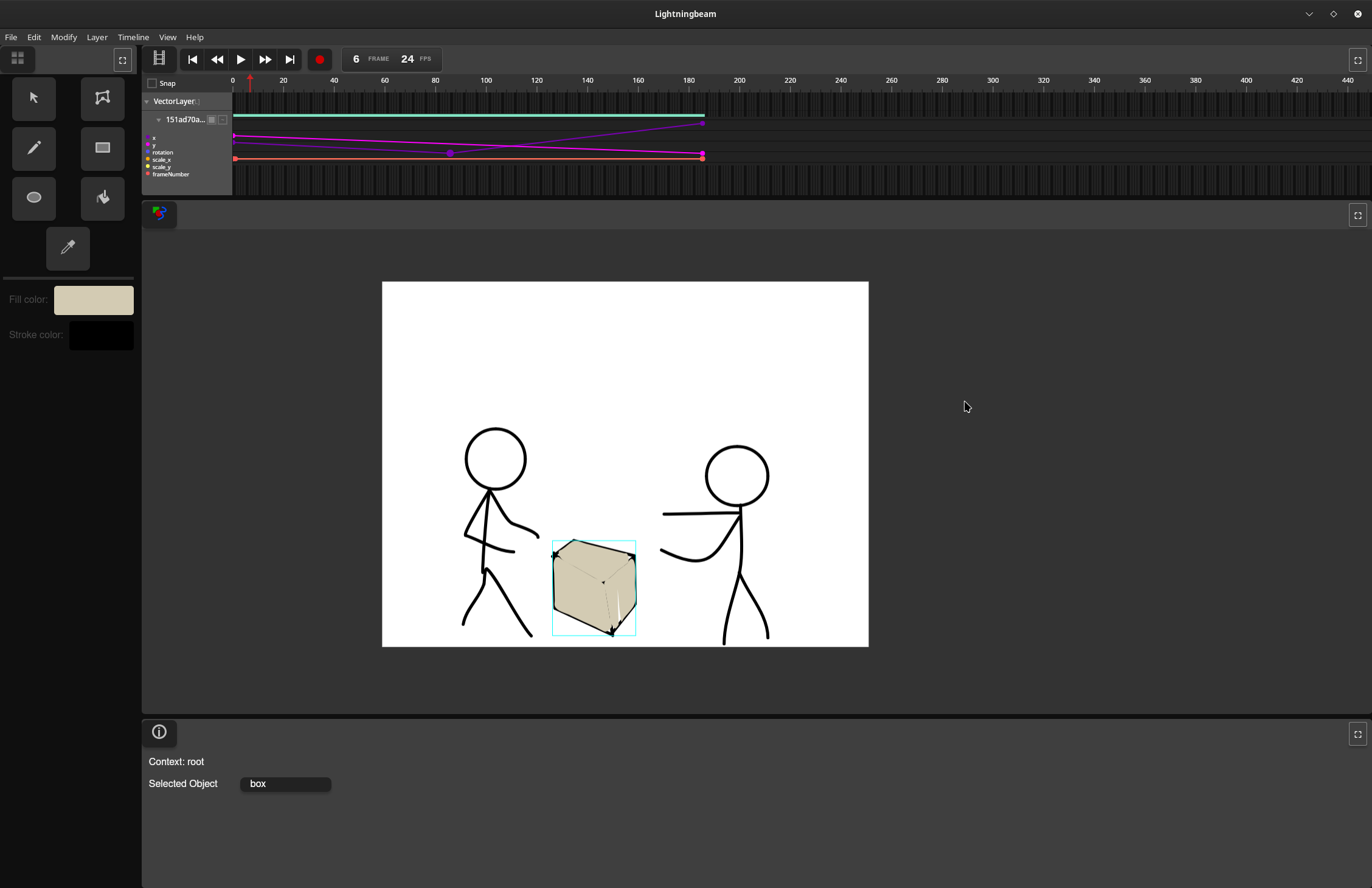
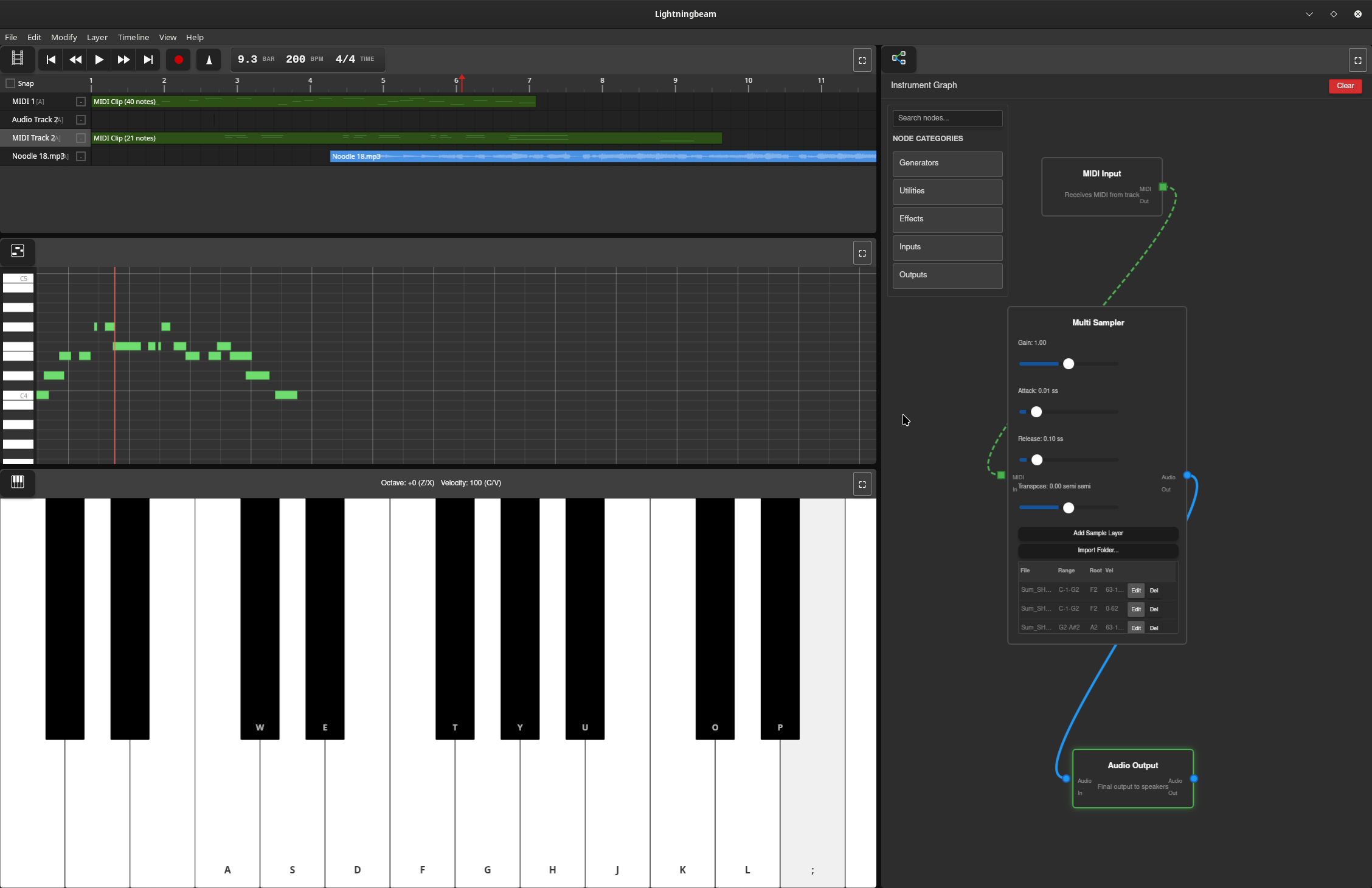
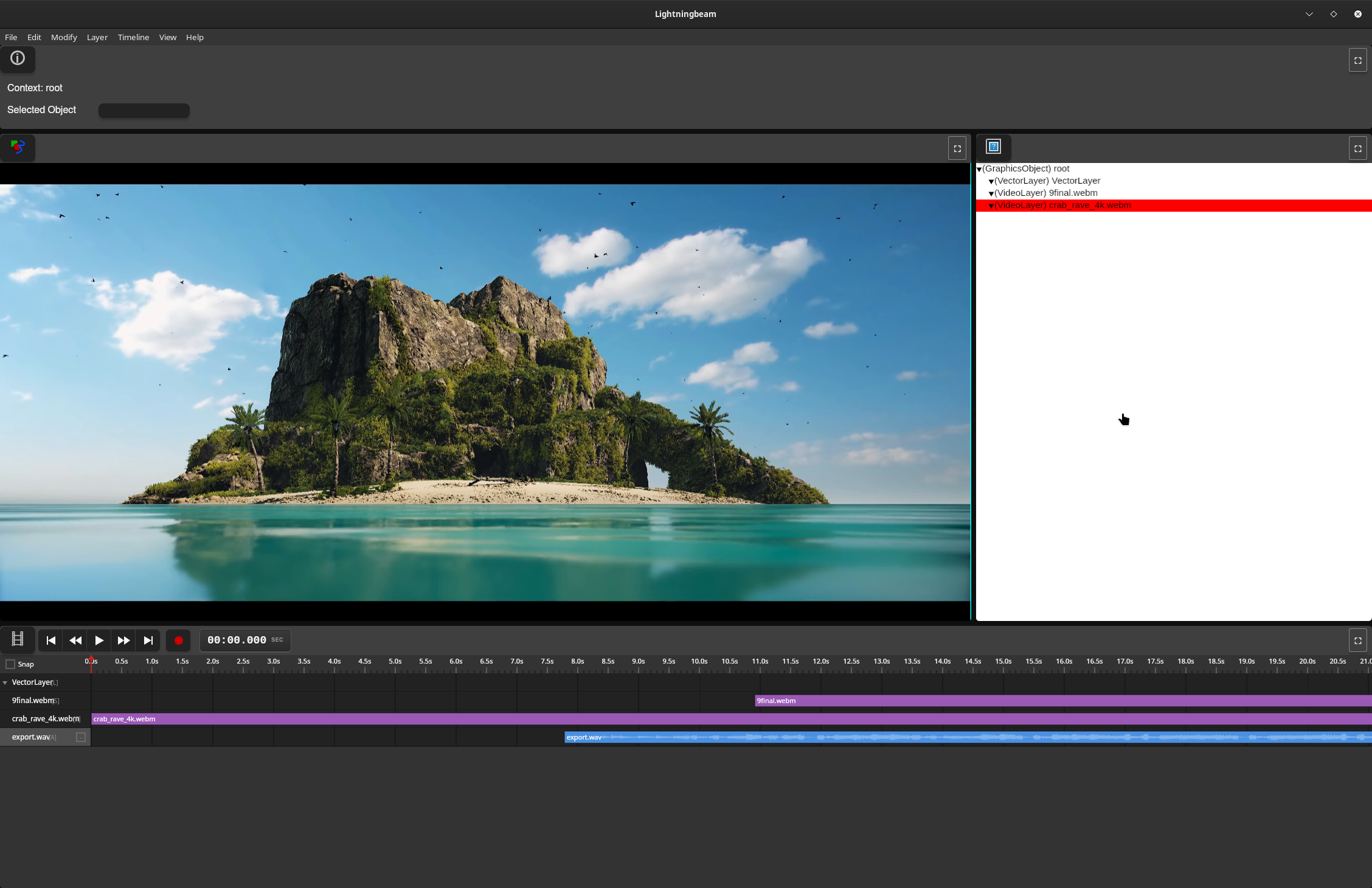
Features
Vector Animation
- GPU-accelerated vector rendering with Vello
- Draw and animate vector shapes with keyframe-based timeline
- Non-destructive editing workflow
- Paint bucket tool for automatic fill detection
Audio Production
- Real-time multi-track audio recording and playback
- Node graph-based effects processing
- MIDI sequencing with synthesizers and samplers
- Comprehensive effects library (reverb, delay, EQ, compression, distortion, etc.)
- Custom audio engine with lock-free design for glitch-free playback
Video Editing
- Video timeline and editing with FFmpeg-based decoding
- GPU-accelerated waveform rendering with mipmaps
- Audio integration from video soundtracks
Technical Stack
Current Implementation (Rust UI)
- UI Framework: egui (immediate-mode GUI)
- GPU Rendering: Vello + wgpu (Vulkan/Metal/DirectX 12)
- Audio Engine: Custom real-time engine (
daw-backend)- cpal for cross-platform audio I/O
- symphonia for audio decoding
- dasp for node graph processing
- Video: FFmpeg 8 for encode/decode
- Platform: Cross-platform (Linux, macOS, Windows)
Legacy Implementation (Deprecated)
- Frontend: Vanilla JavaScript
- Backend: Rust (Tauri framework)
Project Status
Lightningbeam is developed on the main branch. The project has been rewritten from a Tauri/JavaScript prototype to a pure Rust application to eliminate IPC bottlenecks and achieve better performance for real-time video and audio processing.
Current Status:
- ✅ Core UI panes (Stage, Timeline, Asset Library, Info Panel, Toolbar)
- ✅ Drawing tools (Select, Draw, Rectangle, Ellipse, Paint Bucket, Transform)
- ✅ Undo/redo system
- ✅ GPU-accelerated vector rendering
- ✅ Audio engine with node graph processing
- ✅ GPU waveform rendering with mipmaps
- ✅ Video decoding integration
- 🚧 Export system (in progress)
- 🚧 Node editor UI (planned)
- 🚧 Piano roll editor (planned)
Getting Started
Prerequisites
- Rust (stable toolchain via rustup)
- System dependencies:
- Linux: ALSA development files, FFmpeg 8
- macOS: FFmpeg (via Homebrew)
- Windows: FFmpeg 8, Visual Studio with C++ tools
See docs/BUILDING.md for detailed setup instructions.
Building and Running
# Clone the repository
git clone https://github.com/skykooler/lightningbeam.git
# Or from Gitea
git clone https://git.skyler.io/skyler/lightningbeam.git

cd lightningbeam/lightningbeam-ui

# Build and run
cargo run

# Or build optimized release version
cargo build --release
Documentation
- CONTRIBUTING.md - Development setup and contribution guidelines
- ARCHITECTURE.md - System architecture overview
- docs/BUILDING.md - Detailed build instructions and troubleshooting
- docs/AUDIO_SYSTEM.md - Audio engine architecture and development
- docs/UI_SYSTEM.md - UI pane system and tool development
- docs/RENDERING.md - GPU rendering pipeline and shaders
Project History
Lightningbeam evolved from earlier multimedia editing projects I've worked on since 2010, including the FreeJam DAW. The JavaScript/Tauri prototype began in November 2023, and the Rust UI rewrite started in late 2024 to eliminate performance bottlenecks and provide a more integrated native experience.
Goals
Create a comprehensive FOSS alternative for 2D-focused multimedia work, integrating animation, audio, and video editing in a unified workflow. Lightningbeam aims to be:
- Fast: GPU-accelerated rendering and real-time audio processing
- Flexible: Node graph-based audio routing and modular synthesis
- Integrated: Seamless workflow across animation, audio, and video
- Open: Free and open-source, built on open standards
Contributing
Contributions are welcome! Please see CONTRIBUTING.md for guidelines.
License
[License information to be added]