 16e3d676d6
Recording into a cycle region now produces one take per pass. Pick a take
from a badge on the clip; split the clip and pick different takes on the
halves, and you've comped.

Data model (phase 2):
- AudioClipType::TakeFolder { takes, recorded_loop_beats } holds the take
  list on the CLIP; ClipInstance::active_take holds the selection on the
  INSTANCE. That split is what makes comping fall out of the existing
  split action for free — split clones the instance, so the two halves
  share one take list but choose independently. recorded_loop_beats lets
  a future time-stretch/conform pass reconcile audio takes if the tempo
  moves under them.
- AudioClip::resolve(active_take) -> ResolvedContent{Audio|Midi|Recording}
  collapses a take folder to what an instance actually plays. A folder is
  not a distinct *case* at call sites — it's an audio or MIDI clip whose
  identity depends on which take is live — so every backend-sync site now
  resolves through this instead of matching clip_type raw. Reverse lookups
  go through owns_audio_pool_index/owns_midi_clip_id, since a folder owns
  one pool file per take, not just the active one.
- BackendContext::add_clip_instance/remove_clip_instance: switching takes
  is a remove + re-add (there's no in-place pool-swap command), and that's
  the same work AddClipInstanceAction does. One implementation, on the
  context that already owns the controller and both ID maps, so the
  seconds-vs-beats conversions can't drift between copies.

Capture (phase 3):
- Takes are cut GEOMETRICALLY at stop, in exact loop-length multiples. The
  playhead advances before the capture block in process(), so the wrap
  instant isn't sample-exact against the buffer just captured — but the
  geometry is. wrap_count only decides *whether* the recording is
  multi-take, never where the cuts land.
- Partial passes are padded with silence: punch in mid-region and take 1
  gets silence prepended back to the region start; stop mid-pass and the
  last take gets silence appended. Every take is the same length, which is
  the invariant comping depends on. A final take under 50ms of real audio
  is dropped as a stop artifact (but a take that FILLED the region never
  is, however short the region).
- MIDI merges, and it falls out for free: anchoring the recording at
  loop_start rather than the punch-in point means the transport always
  wraps back INTO the region, so every note's offset already lands inside
  [0, loop_len) and passes overdub with no folding logic at all.
- The whole session commits as ONE undoable action via push_applied.

Fixes found on the way:
- Split was seconds/beats confused on MIDI. trim_start/trim_end are
  domain-polymorphic exactly like AudioClip::duration was — SECONDS for
  audio/video/vector, BEATS for MIDI — and split mapped the split point
  into clip content in seconds unconditionally. Now it works in the clip's
  own domain via Document::clip_trim_duration(). Regression test included.
- TrimClip took raw f64s whose meaning flipped by track type, and the
  engine set an AUDIO clip's external_duration = Beats(end - start) where
  those bounds were SECONDS — so a 1-second split played back as half a
  second at 120 BPM. Replaced with a domain-tagged TrimRange, built from
  the clip (clip.trim_range()) so the wrong unit isn't expressible, and
  the span is now converted at the clip's position on the timeline.
- The live preview grew past the loop end while the playhead wrapped. It
  now grows through the first pass then pins at the region length, and the
  waveform inside restarts at the region start on each pass. The pass
  offset is derived from the captured buffer, not the playhead — those
  advance on different clocks, and differencing them made the waveform
  jitter horizontally.

Co-Authored-By: Claude Opus 4.8 <noreply@anthropic.com>
|
||
|---|---|---|
| .github/workflows | ||
| daw-backend | ||
| docs | ||
| ffmpeg-blob-io | ||
| lightningbeam-core | ||
| lightningbeam-ui | ||
| nam-ffi | ||
| packaging | ||
| screenshots | ||
| scripts | ||
| src | ||
| tests | ||
| vendor | ||
| .gitignore | ||
| .gitmodules | ||
| ARCHITECTURE.md | ||
| BEAM_FILE_FORMAT.md | ||
| CONTRIBUTING.md | ||
| Changelog.md | ||
| LICENSE | ||
| README.md | ||
| beam_inspector.py | ||
| beam_inspector_README.md | ||
| create_release.sh | ||
| package.json | ||
| phone-ui-sketches.html | ||
| pnpm-lock.yaml | ||
README.md
Lightningbeam
A free and open-source 2D multimedia editor combining vector animation, audio production, and video editing in a single application.
Screenshots
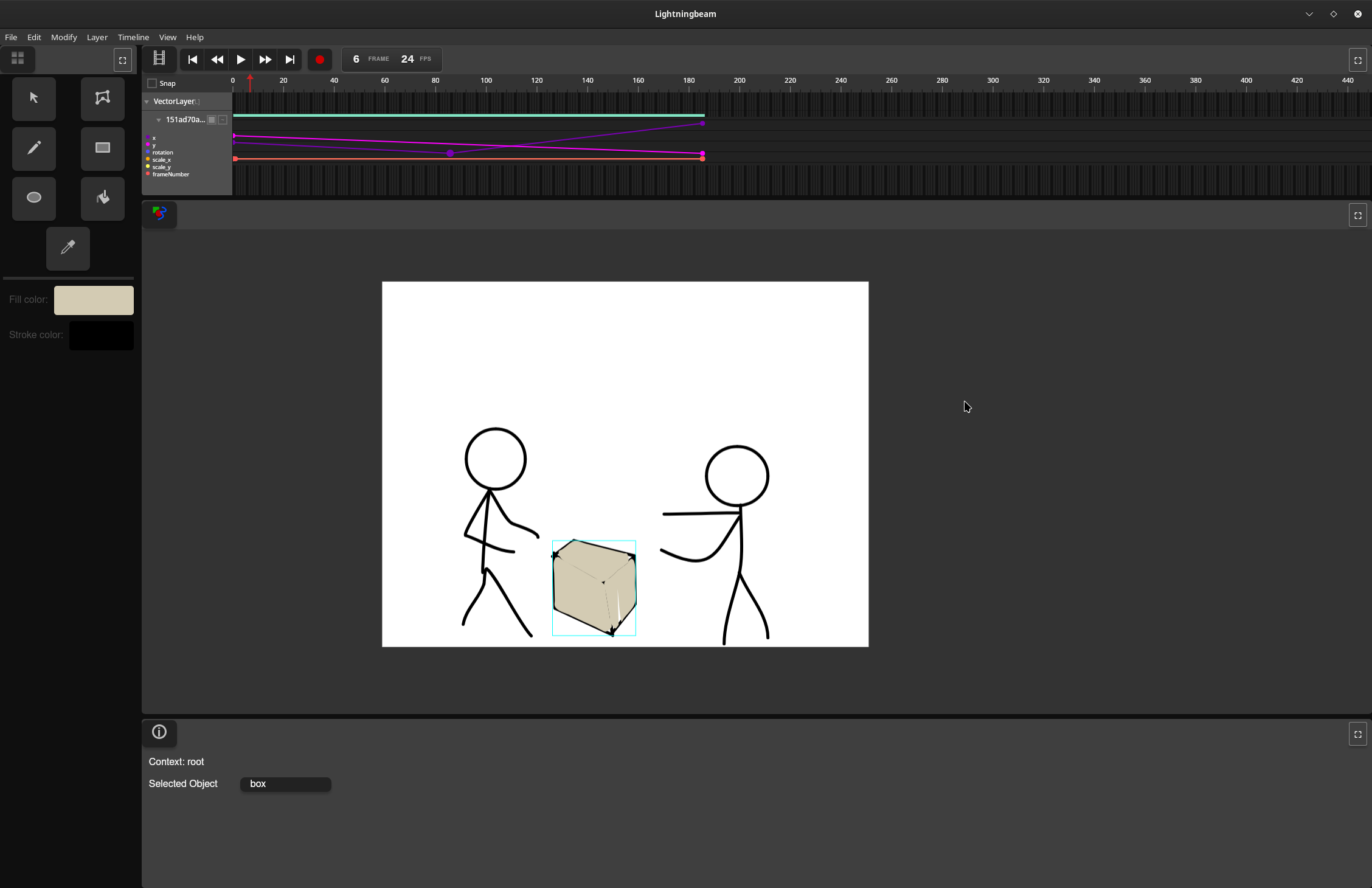
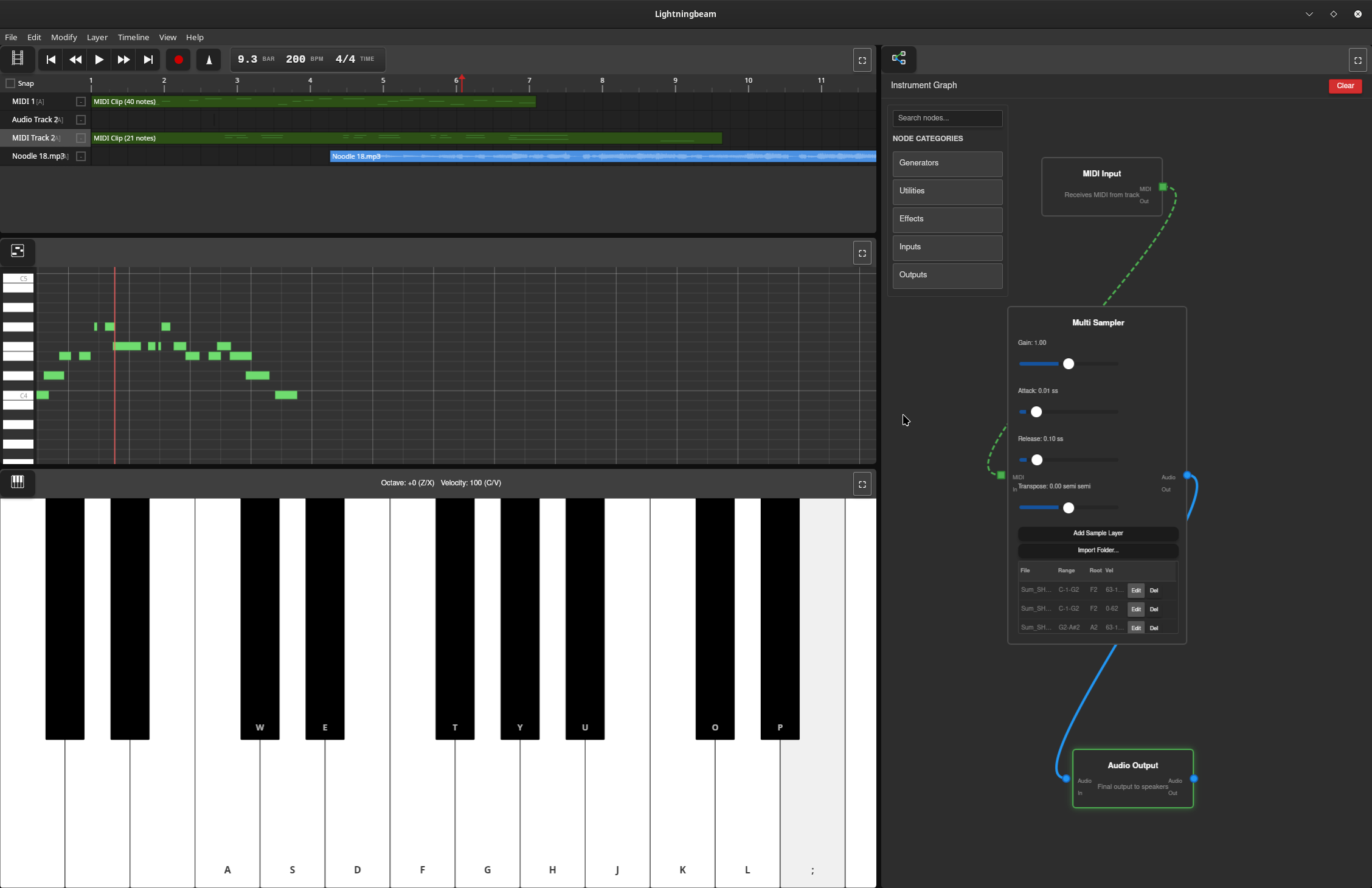
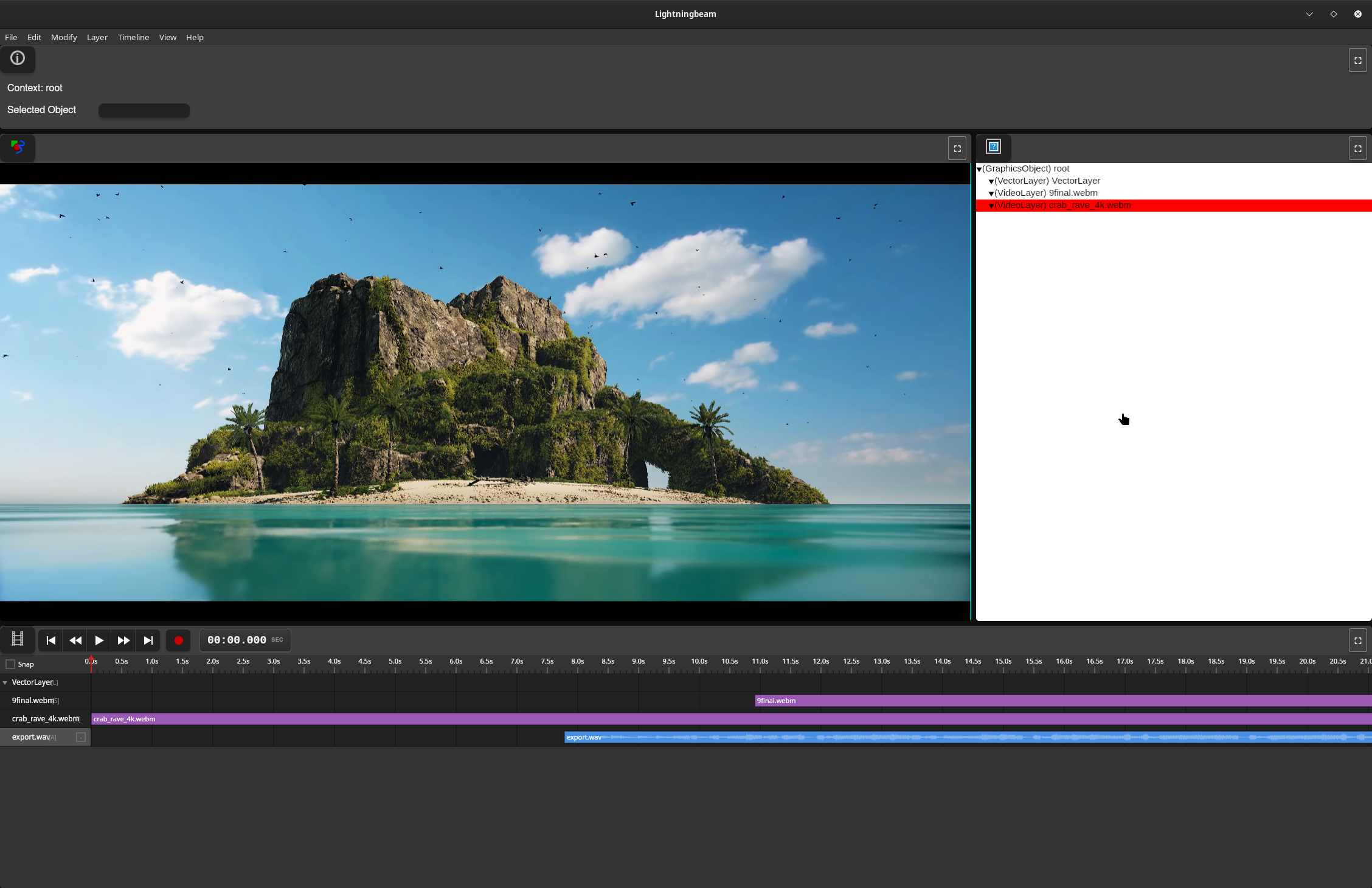
Features
Vector Animation
- GPU-accelerated vector rendering with Vello
- Draw and animate vector shapes with keyframe-based timeline
- Non-destructive editing workflow
- Paint bucket tool for automatic fill detection
Audio Production
- Real-time multi-track audio recording and playback
- Node graph-based effects processing
- MIDI sequencing with synthesizers and samplers
- Comprehensive effects library (reverb, delay, EQ, compression, distortion, etc.)
- Custom audio engine with lock-free design for glitch-free playback
Video Editing
- Video timeline and editing with FFmpeg-based decoding
- GPU-accelerated waveform rendering with mipmaps
- Audio integration from video soundtracks
Technical Stack
Current Implementation (Rust UI)
- UI Framework: egui (immediate-mode GUI)
- GPU Rendering: Vello + wgpu (Vulkan/Metal/DirectX 12)
- Audio Engine: Custom real-time engine (
daw-backend)- cpal for cross-platform audio I/O
- symphonia for audio decoding
- dasp for node graph processing
- Video: FFmpeg 8 for encode/decode
- Platform: Cross-platform (Linux, macOS, Windows)
Legacy Implementation (Deprecated)
- Frontend: Vanilla JavaScript
- Backend: Rust (Tauri framework)
Project Status
Lightningbeam is developed on the main branch. The project has been rewritten from a Tauri/JavaScript prototype to a pure Rust application to eliminate IPC bottlenecks and achieve better performance for real-time video and audio processing.
Current Status:
- ✅ Core UI panes (Stage, Timeline, Asset Library, Info Panel, Toolbar)
- ✅ Drawing tools (Select, Draw, Rectangle, Ellipse, Paint Bucket, Transform)
- ✅ Undo/redo system
- ✅ GPU-accelerated vector rendering
- ✅ Audio engine with node graph processing
- ✅ GPU waveform rendering with mipmaps
- ✅ Video decoding integration
- ✅ Export system (video, image, audio, animated GIF, SVG)
- ✅ Node editor UI
- 🚧 Piano roll editor (in progress)
Getting Started
Download a prebuilt release
If you don't want to build from source, prebuilt binaries for each release are on the GitHub releases page. Download the build for your platform and run it directly.
Building from source
Prerequisites
- Rust (stable toolchain via rustup)
- System dependencies:
- Linux: ALSA development files, FFmpeg 8
- macOS: FFmpeg (via Homebrew)
- Windows: FFmpeg 8, Visual Studio with C++ tools
See docs/BUILDING.md for detailed setup instructions.
Building and Running
# Clone the repository
git clone https://github.com/skykooler/lightningbeam.git
# Or from Gitea
git clone https://git.skyler.io/skyler/lightningbeam.git

cd lightningbeam/lightningbeam-ui

# Build and run
cargo run

# Or build optimized release version
cargo build --release
Documentation
- CONTRIBUTING.md - Development setup and contribution guidelines
- ARCHITECTURE.md - System architecture overview
- docs/BUILDING.md - Detailed build instructions and troubleshooting
- docs/AUDIO_SYSTEM.md - Audio engine architecture and development
- docs/UI_SYSTEM.md - UI pane system and tool development
- docs/RENDERING.md - GPU rendering pipeline and shaders
Project History
Lightningbeam evolved from earlier multimedia editing projects I've worked on since 2010, including the FreeJam DAW. The JavaScript/Tauri prototype began in November 2023, and the Rust UI rewrite started in late 2024 to eliminate performance bottlenecks and provide a more integrated native experience.
Goals
Create a comprehensive FOSS alternative for 2D-focused multimedia work, integrating animation, audio, and video editing in a unified workflow. Lightningbeam aims to be:
- Fast: GPU-accelerated rendering and real-time audio processing
- Flexible: Node graph-based audio routing and modular synthesis
- Integrated: Seamless workflow across animation, audio, and video
- Open: Free and open-source, built on open standards
Contributing
Contributions are welcome! Please see CONTRIBUTING.md for guidelines.
License
[License information to be added]