 5e73f7f75d
Addresses a batch of issues found during a painting test. Tools - Paint bucket used the background color unconditionally. It now picks FG/BG like the brush does, via a shared Color: [FG][BG] row that every color-using tool renders (brush, bucket, eyedropper). - The eyedropper previously inferred its target swatch from active_color_mode, which was only ever set as a side effect of opening a color picker — so where a sample landed depended on invisible state. It now has an explicit toggle, and active_color_mode is gone. - Effect brushes (dodge/burn, sponge, blur, smudge, clone, heal, pattern) were stuck on a hardcoded Gaussian dab. Replaced ~20 flat per-tool fields with a BrushKind -> BrushSlot model: every dab-painting tool now owns its size/strength/hardness/spacing, its .myb preset, and its FG/BG choice, and gets the full brush library. base_settings already flowed into the dab engine independently of blend_mode, so this needed no core or WGSL changes. Cursors - Rebuilt around three kinds instead of "icon = cursor": System (real OS cursor for Select/Transform), Precise (glyph with a real tip, e.g. pencil/pipette), and Badge (crosshair marks the click point, glyph sits to its bottom-right) for icons with no focus point. - Cursors are now OS-composited via egui::CursorImage rather than painted into the scene, so they no longer lag the pointer. Glyphs are rasterized from egui's font atlas using epaint's own placement maths, so they land where painter.text put them. Drops the SVG cursor rasterization path. Tablet - The Wayland backend never handled zwp_tablet_tool_v2 Button events, so stylus barrel buttons were silently dropped. Both Wayland and X11 now emit them, with actions bound in Preferences (Pan/Eyedropper/Eraser). A pan-bound button suppresses the tool the way Alt+drag does, since the pen tip is still down while panning. Also adds middle-mouse panning. Timeline - Raster layers had no opacity control; the slider always drove volume, which is meaningless on them. The layer row is now three tiers, and each layer only shows controls that apply to it: Vector/Video get both volume and opacity (they can hold movie clips with audio), Raster/Text get opacity, Audio gets volume. Mute/solo are hidden where there's no audio. - Layer toggles use Lucide icons with tooltips, and gain a visibility (eye) toggle. LayerProperty::Visible already existed but was only reachable from the info panel. - Below 1.5x the layer-header width, the track area is dropped and the headers take the full pane. Panes - Color picker popups closed on any click (including on their own hue slider) and would not close on a drag — so drawing on the stage left one open. Shared color_swatch widget closes on a press outside instead. - Stage header gains undo/redo buttons for tablet use, and taller targets. - Toolbar is real egui layout (horizontal_wrapped) instead of absolute rect math, so it scrolls when the pane is too short. - Tools with no SVG icon use Lucide glyphs instead of a TODO placeholder. |
||
|---|---|---|
| .github/workflows | ||
| daw-backend | ||
| docs | ||
| ffmpeg-blob-io | ||
| lightningbeam-core | ||
| lightningbeam-ui | ||
| nam-ffi | ||
| packaging | ||
| screenshots | ||
| scripts | ||
| src | ||
| tests | ||
| vendor | ||
| .gitignore | ||
| .gitmodules | ||
| ARCHITECTURE.md | ||
| BEAM_FILE_FORMAT.md | ||
| CONTRIBUTING.md | ||
| Changelog.md | ||
| LICENSE | ||
| README.md | ||
| beam_inspector.py | ||
| beam_inspector_README.md | ||
| create_release.sh | ||
| package.json | ||
| phone-ui-sketches.html | ||
| pnpm-lock.yaml | ||
README.md
Lightningbeam
A free and open-source 2D multimedia editor combining vector animation, audio production, and video editing in a single application.
Screenshots
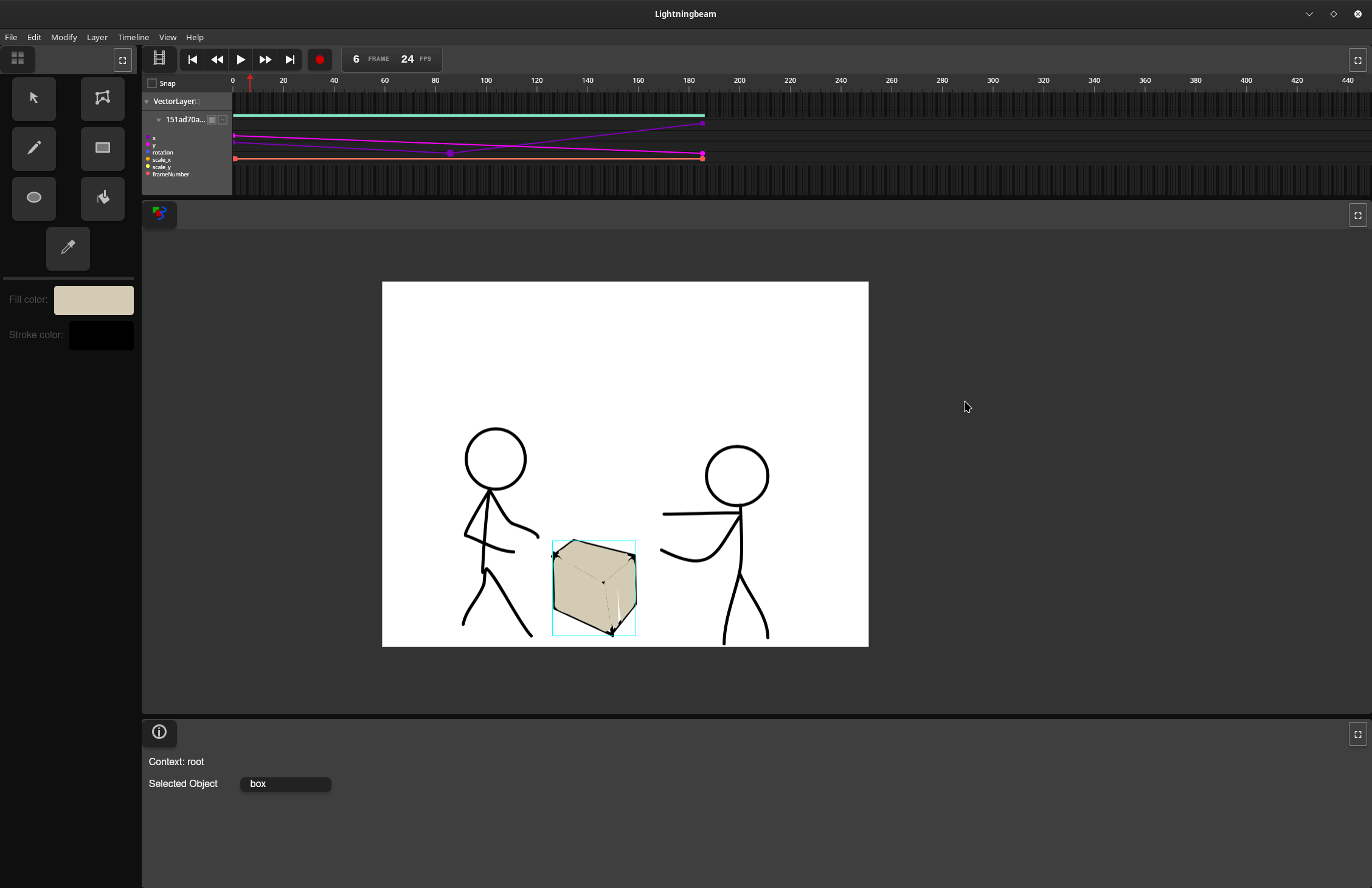
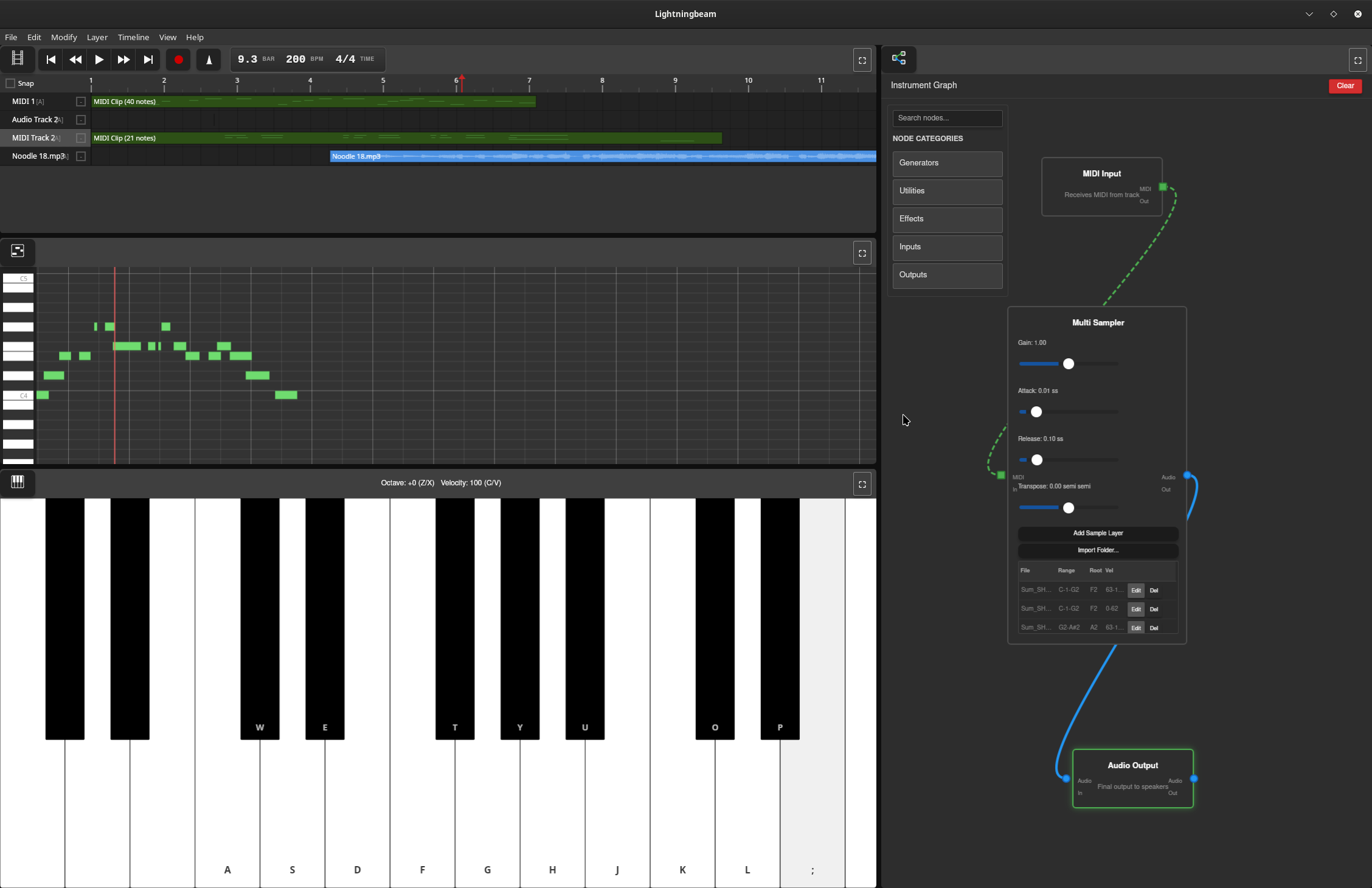
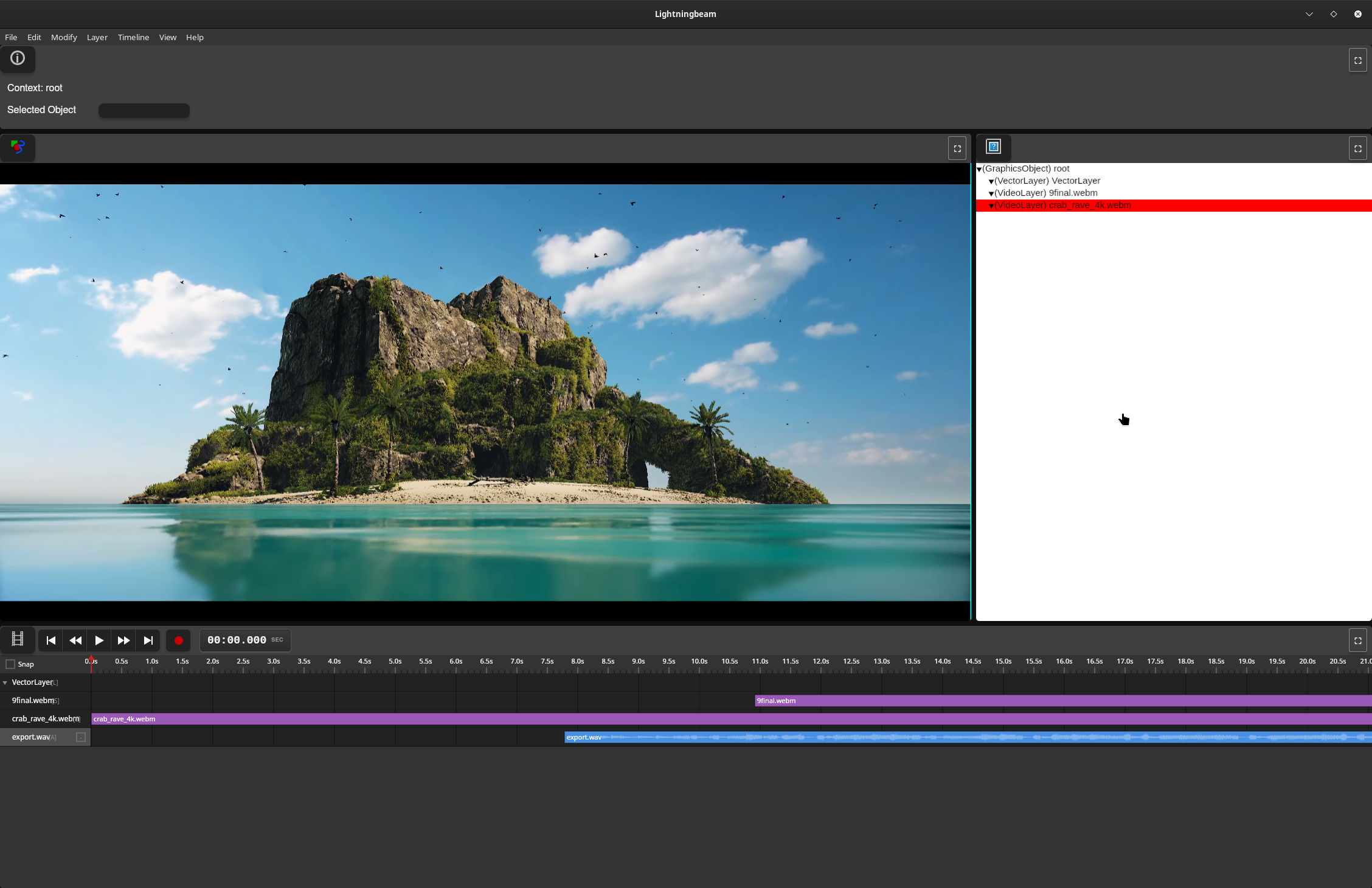
Features
Vector Animation
- GPU-accelerated vector rendering with Vello
- Draw and animate vector shapes with keyframe-based timeline
- Non-destructive editing workflow
- Paint bucket tool for automatic fill detection
Audio Production
- Real-time multi-track audio recording and playback
- Node graph-based effects processing
- MIDI sequencing with synthesizers and samplers
- Comprehensive effects library (reverb, delay, EQ, compression, distortion, etc.)
- Custom audio engine with lock-free design for glitch-free playback
Video Editing
- Video timeline and editing with FFmpeg-based decoding
- GPU-accelerated waveform rendering with mipmaps
- Audio integration from video soundtracks
Technical Stack
Current Implementation (Rust UI)
- UI Framework: egui (immediate-mode GUI)
- GPU Rendering: Vello + wgpu (Vulkan/Metal/DirectX 12)
- Audio Engine: Custom real-time engine (
daw-backend)- cpal for cross-platform audio I/O
- symphonia for audio decoding
- dasp for node graph processing
- Video: FFmpeg 8 for encode/decode
- Platform: Cross-platform (Linux, macOS, Windows)
Legacy Implementation (Deprecated)
- Frontend: Vanilla JavaScript
- Backend: Rust (Tauri framework)
Project Status
Lightningbeam is developed on the main branch. The project has been rewritten from a Tauri/JavaScript prototype to a pure Rust application to eliminate IPC bottlenecks and achieve better performance for real-time video and audio processing.
Current Status:
- ✅ Core UI panes (Stage, Timeline, Asset Library, Info Panel, Toolbar)
- ✅ Drawing tools (Select, Draw, Rectangle, Ellipse, Paint Bucket, Transform)
- ✅ Undo/redo system
- ✅ GPU-accelerated vector rendering
- ✅ Audio engine with node graph processing
- ✅ GPU waveform rendering with mipmaps
- ✅ Video decoding integration
- ✅ Export system (video, image, audio, animated GIF, SVG)
- ✅ Node editor UI
- 🚧 Piano roll editor (in progress)
Getting Started
Download a prebuilt release
If you don't want to build from source, prebuilt binaries for each release are on the GitHub releases page. Download the build for your platform and run it directly.
Building from source
Prerequisites
- Rust (stable toolchain via rustup)
- System dependencies:
- Linux: ALSA development files, FFmpeg 8
- macOS: FFmpeg (via Homebrew)
- Windows: FFmpeg 8, Visual Studio with C++ tools
See docs/BUILDING.md for detailed setup instructions.
Building and Running
# Clone the repository
git clone https://github.com/skykooler/lightningbeam.git
# Or from Gitea
git clone https://git.skyler.io/skyler/lightningbeam.git

cd lightningbeam/lightningbeam-ui

# Build and run
cargo run

# Or build optimized release version
cargo build --release
Documentation
- CONTRIBUTING.md - Development setup and contribution guidelines
- ARCHITECTURE.md - System architecture overview
- docs/BUILDING.md - Detailed build instructions and troubleshooting
- docs/AUDIO_SYSTEM.md - Audio engine architecture and development
- docs/UI_SYSTEM.md - UI pane system and tool development
- docs/RENDERING.md - GPU rendering pipeline and shaders
Project History
Lightningbeam evolved from earlier multimedia editing projects I've worked on since 2010, including the FreeJam DAW. The JavaScript/Tauri prototype began in November 2023, and the Rust UI rewrite started in late 2024 to eliminate performance bottlenecks and provide a more integrated native experience.
Goals
Create a comprehensive FOSS alternative for 2D-focused multimedia work, integrating animation, audio, and video editing in a unified workflow. Lightningbeam aims to be:
- Fast: GPU-accelerated rendering and real-time audio processing
- Flexible: Node graph-based audio routing and modular synthesis
- Integrated: Seamless workflow across animation, audio, and video
- Open: Free and open-source, built on open standards
Contributing
Contributions are welcome! Please see CONTRIBUTING.md for guidelines.
License
[License information to be added]