4.4 KiB
Lightningbeam
A free and open-source 2D multimedia editor combining vector animation, audio production, and video editing in a single application.
Screenshots
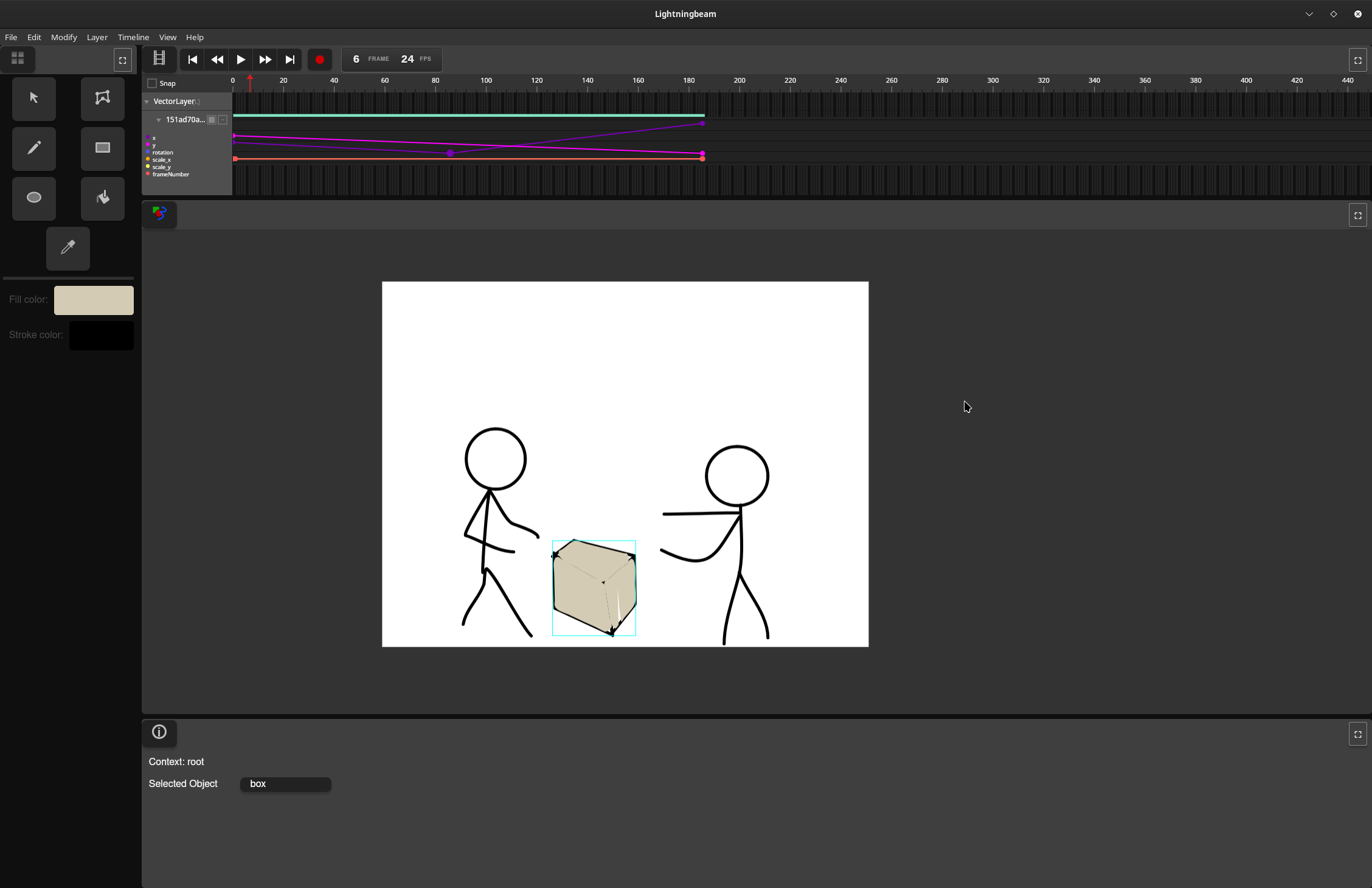
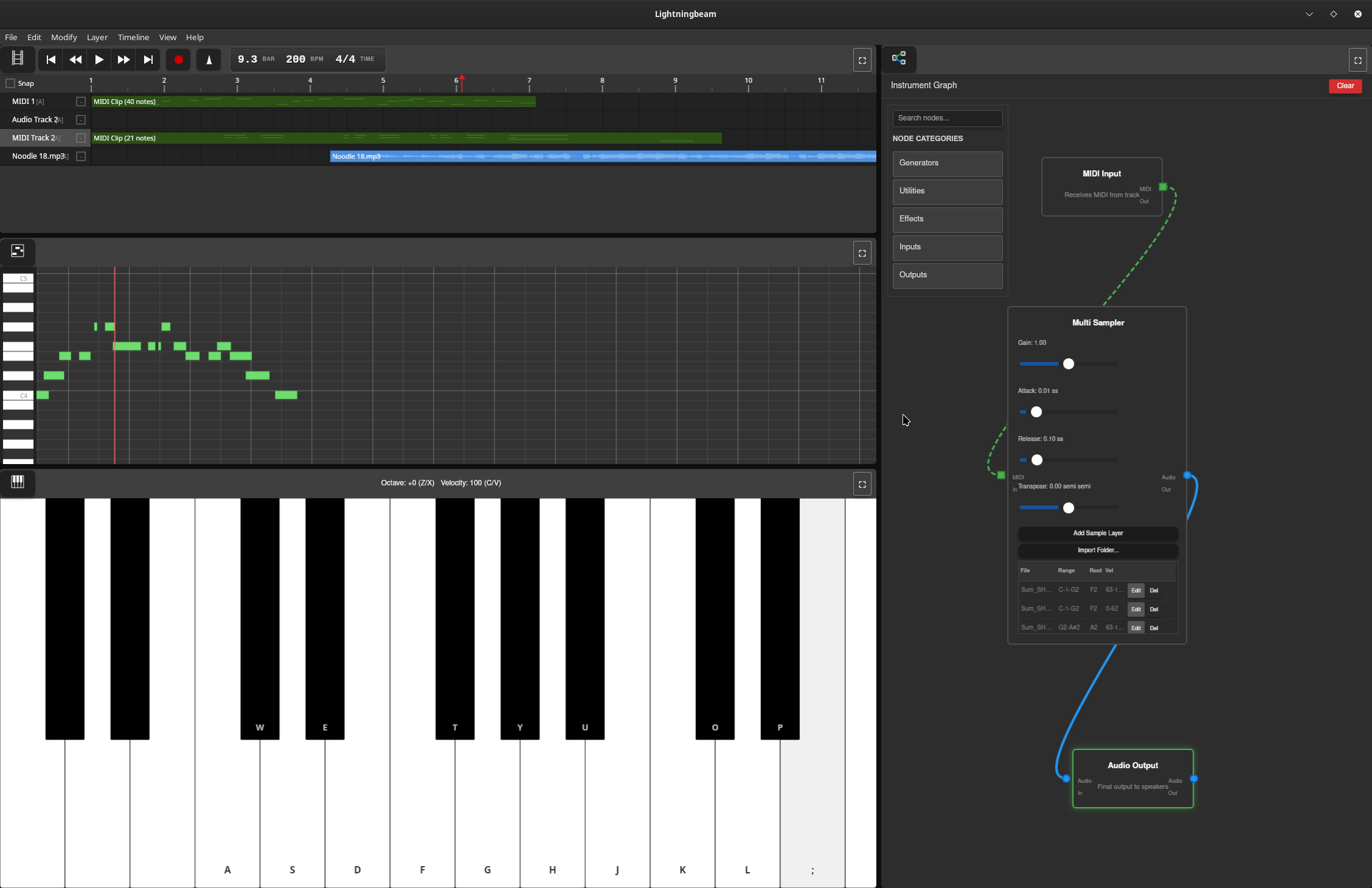
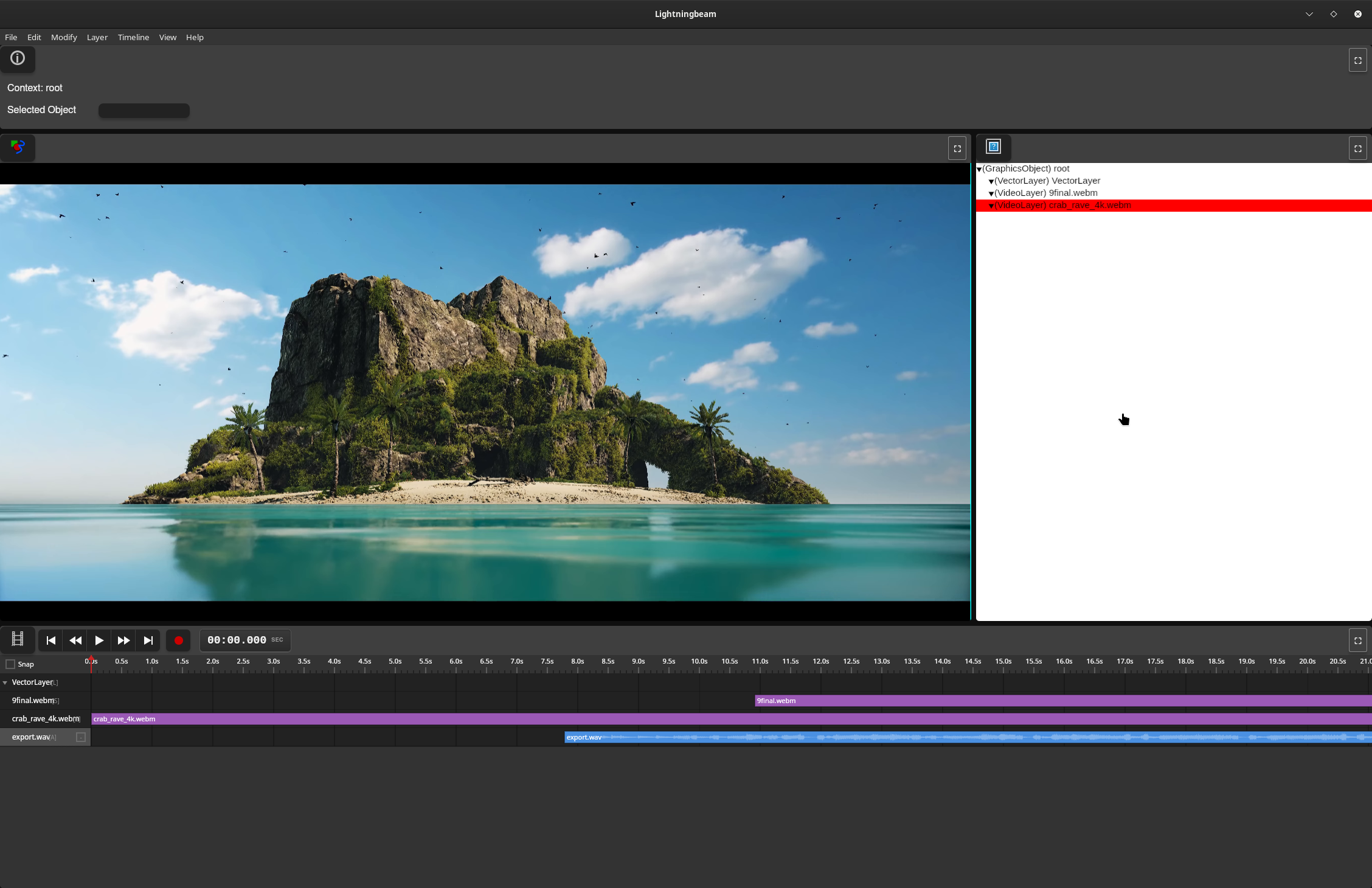
Features
Vector Animation
- GPU-accelerated vector rendering with Vello
- Draw and animate vector shapes with keyframe-based timeline
- Non-destructive editing workflow
- Paint bucket tool for automatic fill detection
Audio Production
- Real-time multi-track audio recording and playback
- Node graph-based effects processing
- MIDI sequencing with synthesizers and samplers
- Comprehensive effects library (reverb, delay, EQ, compression, distortion, etc.)
- Custom audio engine with lock-free design for glitch-free playback
Video Editing
- Video timeline and editing with FFmpeg-based decoding
- GPU-accelerated waveform rendering with mipmaps
- Audio integration from video soundtracks
Technical Stack
Current Implementation (Rust UI)
- UI Framework: egui (immediate-mode GUI)
- GPU Rendering: Vello + wgpu (Vulkan/Metal/DirectX 12)
- Audio Engine: Custom real-time engine (
daw-backend)- cpal for cross-platform audio I/O
- symphonia for audio decoding
- dasp for node graph processing
- Video: FFmpeg 8 for encode/decode
- Platform: Cross-platform (Linux, macOS, Windows)
Legacy Implementation (Deprecated)
- Frontend: Vanilla JavaScript
- Backend: Rust (Tauri framework)
Project Status
Lightningbeam is under active development on the rust-ui branch. The project has been rewritten from a Tauri/JavaScript prototype to a pure Rust application to eliminate IPC bottlenecks and achieve better performance for real-time video and audio processing.
Current Status:
- ✅ Core UI panes (Stage, Timeline, Asset Library, Info Panel, Toolbar)
- ✅ Drawing tools (Select, Draw, Rectangle, Ellipse, Paint Bucket, Transform)
- ✅ Undo/redo system
- ✅ GPU-accelerated vector rendering
- ✅ Audio engine with node graph processing
- ✅ GPU waveform rendering with mipmaps
- ✅ Video decoding integration
- 🚧 Export system (in progress)
- 🚧 Node editor UI (planned)
- 🚧 Piano roll editor (planned)
Getting Started
Prerequisites
- Rust (stable toolchain via rustup)
- System dependencies:
- Linux: ALSA development files, FFmpeg 8
- macOS: FFmpeg (via Homebrew)
- Windows: FFmpeg 8, Visual Studio with C++ tools
See docs/BUILDING.md for detailed setup instructions.
Building and Running
# Clone the repository
git clone https://github.com/skykooler/lightningbeam.git
# Or from Gitea
git clone https://git.skyler.io/skyler/lightningbeam.git

cd lightningbeam/lightningbeam-ui

# Build and run
cargo run

# Or build optimized release version
cargo build --release
Documentation
- CONTRIBUTING.md - Development setup and contribution guidelines
- ARCHITECTURE.md - System architecture overview
- docs/BUILDING.md - Detailed build instructions and troubleshooting
- docs/AUDIO_SYSTEM.md - Audio engine architecture and development
- docs/UI_SYSTEM.md - UI pane system and tool development
- docs/RENDERING.md - GPU rendering pipeline and shaders
Project History
Lightningbeam evolved from earlier multimedia editing projects I've worked on since 2010, including the FreeJam DAW. The JavaScript/Tauri prototype began in November 2023, and the Rust UI rewrite started in late 2024 to eliminate performance bottlenecks and provide a more integrated native experience.
Goals
Create a comprehensive FOSS alternative for 2D-focused multimedia work, integrating animation, audio, and video editing in a unified workflow. Lightningbeam aims to be:
- Fast: GPU-accelerated rendering and real-time audio processing
- Flexible: Node graph-based audio routing and modular synthesis
- Integrated: Seamless workflow across animation, audio, and video
- Open: Free and open-source, built on open standards
Contributing
Contributions are welcome! Please see CONTRIBUTING.md for guidelines.
License
[License information to be added]