 ba4395602d
Recording (audio and MIDI) mutated the document directly in the AudioEvent handlers, outside the action system — so it was never undoable, and dirty- tracking leaned on an ad-hoc `media_modified` flag that the MIDI stop handler forgot to set (hence: recording a MIDI clip didn't trigger the save-on-close prompt). Recording is temporal (the clip streams into the document live over the take), so it can't be applied by one synchronous execute(). Instead, commit the finished take as an *already-applied* action: - ActionExecutor::push_applied(action) — registers an action whose effect is already present (clears redo, bumps the epoch so the doc reads as modified, pushes to the undo stack) WITHOUT re-running execute()/execute_backend(). Undo then removes the content via rollback/rollback_backend; redo re-adds it. - AddClipInstanceAction::already_applied(...) — constructs the action pre-seeded into its post-execute state (executed + the existing backend clip id) so the first undo can remove the live-recorded clip from both doc and backend, and redo re-adds it through the normal path. - Both recording stop handlers now finalize, then push_applied this action. Keeping the clip in the document (not a transient) matters for streaming-to- disk and keeps the doc the single source of truth. Recordings now bump the epoch like every other edit, so the media_modified flag is dropped for recordings (kept only as a defensive fallback if the action can't be built). Whole workspace compiles; 299 core tests pass. Co-Authored-By: Claude Opus 4.8 (1M context) <noreply@anthropic.com> |
||
|---|---|---|
| .github/workflows | ||
| daw-backend | ||
| docs | ||
| ffmpeg-blob-io | ||
| lightningbeam-core | ||
| lightningbeam-ui | ||
| nam-ffi | ||
| packaging | ||
| screenshots | ||
| scripts | ||
| src | ||
| tests | ||
| vendor | ||
| .gitignore | ||
| .gitmodules | ||
| ARCHITECTURE.md | ||
| BEAM_FILE_FORMAT.md | ||
| CONTRIBUTING.md | ||
| Changelog.md | ||
| LICENSE | ||
| README.md | ||
| TODO.md | ||
| beam_inspector.py | ||
| beam_inspector_README.md | ||
| create_release.sh | ||
| package.json | ||
| phone-ui-sketches.html | ||
| pnpm-lock.yaml | ||
README.md
Lightningbeam
A free and open-source 2D multimedia editor combining vector animation, audio production, and video editing in a single application.
Screenshots
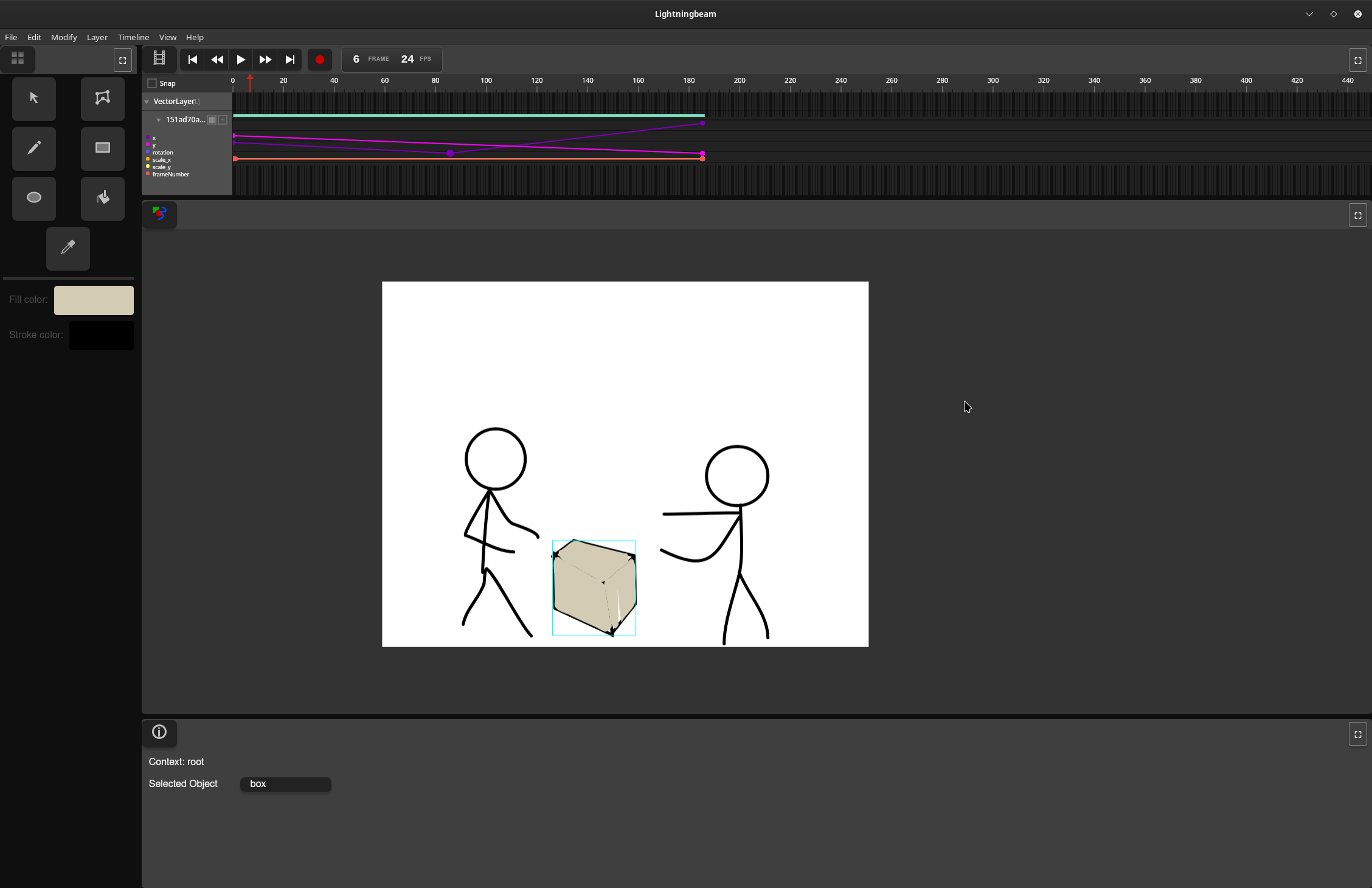
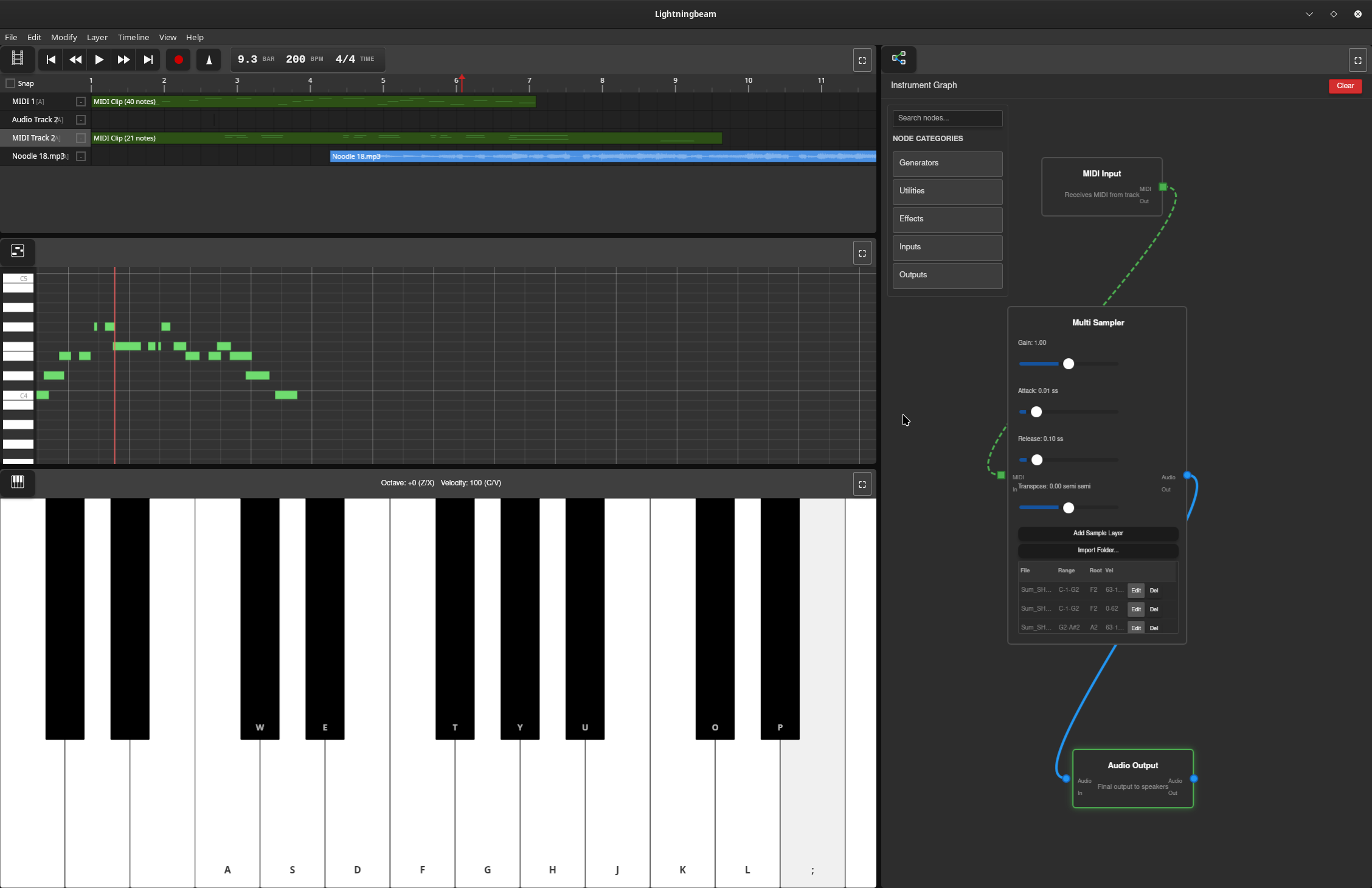
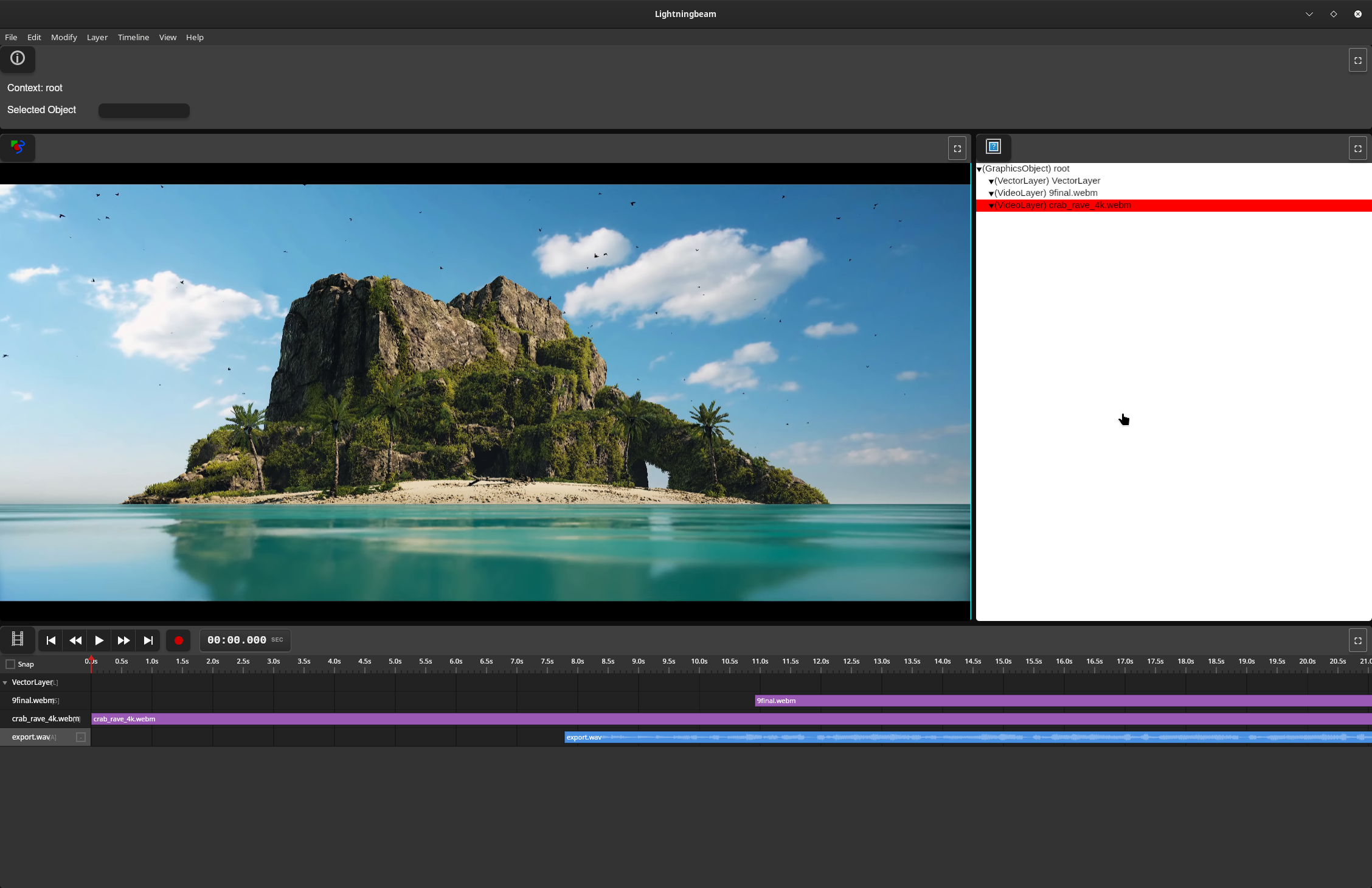
Features
Vector Animation
- GPU-accelerated vector rendering with Vello
- Draw and animate vector shapes with keyframe-based timeline
- Non-destructive editing workflow
- Paint bucket tool for automatic fill detection
Audio Production
- Real-time multi-track audio recording and playback
- Node graph-based effects processing
- MIDI sequencing with synthesizers and samplers
- Comprehensive effects library (reverb, delay, EQ, compression, distortion, etc.)
- Custom audio engine with lock-free design for glitch-free playback
Video Editing
- Video timeline and editing with FFmpeg-based decoding
- GPU-accelerated waveform rendering with mipmaps
- Audio integration from video soundtracks
Technical Stack
Current Implementation (Rust UI)
- UI Framework: egui (immediate-mode GUI)
- GPU Rendering: Vello + wgpu (Vulkan/Metal/DirectX 12)
- Audio Engine: Custom real-time engine (
daw-backend)- cpal for cross-platform audio I/O
- symphonia for audio decoding
- dasp for node graph processing
- Video: FFmpeg 8 for encode/decode
- Platform: Cross-platform (Linux, macOS, Windows)
Legacy Implementation (Deprecated)
- Frontend: Vanilla JavaScript
- Backend: Rust (Tauri framework)
Project Status
Lightningbeam is developed on the main branch. The project has been rewritten from a Tauri/JavaScript prototype to a pure Rust application to eliminate IPC bottlenecks and achieve better performance for real-time video and audio processing.
Current Status:
- ✅ Core UI panes (Stage, Timeline, Asset Library, Info Panel, Toolbar)
- ✅ Drawing tools (Select, Draw, Rectangle, Ellipse, Paint Bucket, Transform)
- ✅ Undo/redo system
- ✅ GPU-accelerated vector rendering
- ✅ Audio engine with node graph processing
- ✅ GPU waveform rendering with mipmaps
- ✅ Video decoding integration
- 🚧 Export system (in progress)
- 🚧 Node editor UI (planned)
- 🚧 Piano roll editor (planned)
Getting Started
Prerequisites
- Rust (stable toolchain via rustup)
- System dependencies:
- Linux: ALSA development files, FFmpeg 8
- macOS: FFmpeg (via Homebrew)
- Windows: FFmpeg 8, Visual Studio with C++ tools
See docs/BUILDING.md for detailed setup instructions.
Building and Running
# Clone the repository
git clone https://github.com/skykooler/lightningbeam.git
# Or from Gitea
git clone https://git.skyler.io/skyler/lightningbeam.git

cd lightningbeam/lightningbeam-ui

# Build and run
cargo run

# Or build optimized release version
cargo build --release
Documentation
- CONTRIBUTING.md - Development setup and contribution guidelines
- ARCHITECTURE.md - System architecture overview
- docs/BUILDING.md - Detailed build instructions and troubleshooting
- docs/AUDIO_SYSTEM.md - Audio engine architecture and development
- docs/UI_SYSTEM.md - UI pane system and tool development
- docs/RENDERING.md - GPU rendering pipeline and shaders
Project History
Lightningbeam evolved from earlier multimedia editing projects I've worked on since 2010, including the FreeJam DAW. The JavaScript/Tauri prototype began in November 2023, and the Rust UI rewrite started in late 2024 to eliminate performance bottlenecks and provide a more integrated native experience.
Goals
Create a comprehensive FOSS alternative for 2D-focused multimedia work, integrating animation, audio, and video editing in a unified workflow. Lightningbeam aims to be:
- Fast: GPU-accelerated rendering and real-time audio processing
- Flexible: Node graph-based audio routing and modular synthesis
- Integrated: Seamless workflow across animation, audio, and video
- Open: Free and open-source, built on open standards
Contributing
Contributions are welcome! Please see CONTRIBUTING.md for guidelines.
License
[License information to be added]